WhatsApp vs Live Chat: Which Button Converts Better?
Should you use a WhatsApp button or a traditional live chat button on your website?
Both options invite visitors to talk to your team, but they work in very different ways and support different kinds of conversations.
Instead of guessing, it helps to understand the strengths of each channel and how a unified
WhatsApp and live chat button can give your visitors the choice they actually want.
How a live chat button works
A live chat button sits in the corner of your site and opens a chat window that stays inside the browser.
Messages are exchanged through your website or app, usually connected to an agent inbox or AI assistant.
Conversation happens only while the user is on your site.
Great for quick questions and real-time troubleshooting.
Easy to integrate with knowledge bases and help desks.
How a WhatsApp button works
A WhatsApp chat button uses click-to-chat to open WhatsApp with your business number.
The conversation continues inside the WhatsApp app, not in your browser window.
Conversation persists after the user leaves your site.
Ideal for longer sales cycles, repeat orders, and follow-ups.
Supports rich media like photos, voice notes, and documents.
Conversion advantages of live chat
Live chat buttons often convert well on:
Pricing and feature comparison pages.
Checkout flows where buyers want last-minute reassurance.
Technical support sections where users are already in your product.
Because visitors stay on the page, it is easier to guide them through screens, highlight elements, and send links that open in the same context.
Conversion advantages of WhatsApp chat buttons
WhatsApp buttons tend to perform better when:
You want to nurture leads over time instead of closing the entire deal in one session.
Your audience already lives in WhatsApp and prefers messaging to phone calls.
You sell services or high-value items that require back-and-forth questions.
Once the thread exists, your team can follow up days or weeks later without relying on email open rates.
Do you really have to choose one chat button?
Many teams try to choose either a WhatsApp button or a live chat button and end up compromising.
The better approach is to provide both options inside one clean interface.
Show a single floating chat button instead of separate icons.
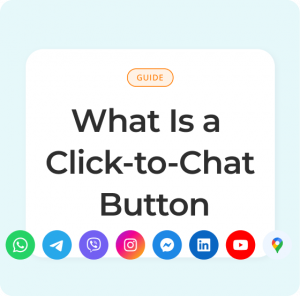
Let visitors choose between live chat, WhatsApp, Messenger, Telegram, and email.
Use AI to answer common questions before routing to a human.
See all conversations in one dashboard regardless of channel.
Running A/B tests on chat buttons
If you want data on which button converts better for your audience:
Test live chat only versus live chat plus WhatsApp.
Experiment with different labels such as “Chat now” versus “Chat on WhatsApp”.
Measure clicks, started conversations, and downstream conversions.
For many sites, offering both options inside one button produces the highest combined conversion rate without clutter.
Choosing the right mix for your site
If your product is complex and buyers spend a long time in your app or documentation, a strong live chat button is essential.
If your customers rely heavily on mobile and repeat purchases, a WhatsApp chat button becomes just as important.
The easiest path is to combine them. A single, well-designed
click-to-chat button that offers both WhatsApp and live chat gives visitors freedom to choose while keeping your interface clean.
Instead of asking “WhatsApp or live chat,” aim for “WhatsApp and live chat, managed in one place.” That is where most businesses see the strongest results.
Should you use a WhatsApp button or a traditional live chat button on your website? Both options invite visitors to talk to your team, but they work in very different ways and support different kinds of conversations.
Instead of guessing, it helps to understand the strengths of each channel and how a unified WhatsApp and live chat button can give your visitors the choice they actually want.
How a live chat button works
A live chat button sits in the corner of your site and opens a chat window that stays inside the browser. Messages are exchanged through your website or app, usually connected to an agent inbox or AI assistant.
Conversation happens only while the user is on your site.
Great for quick questions and real-time troubleshooting.
Easy to integrate with knowledge bases and help desks.
How a WhatsApp button works
A WhatsApp chat button uses click-to-chat to open WhatsApp with your business number. The conversation continues inside the WhatsApp app, not in your browser window.
Conversation persists after the user leaves your site.
Ideal for longer sales cycles, repeat orders, and follow-ups.
Supports rich media like photos, voice notes, and documents.
Conversion advantages of live chat
Live chat buttons often convert well on:
Pricing and feature comparison pages.
Checkout flows where buyers want last-minute reassurance.
Technical support sections where users are already in your product.
Because visitors stay on the page, it is easier to guide them through screens, highlight elements, and send links that open in the same context.
Conversion advantages of WhatsApp chat buttons
WhatsApp buttons tend to perform better when:
You want to nurture leads over time instead of closing the entire deal in one session.
Your audience already lives in WhatsApp and prefers messaging to phone calls.
You sell services or high-value items that require back-and-forth questions.
Once the thread exists, your team can follow up days or weeks later without relying on email open rates.
Do you really have to choose one chat button?
Many teams try to choose either a WhatsApp button or a live chat button and end up compromising. The better approach is to provide both options inside one clean interface.
Show a single floating chat button instead of separate icons.
Let visitors choose between live chat, WhatsApp, Messenger, Telegram, and email.
Use AI to answer common questions before routing to a human.
See all conversations in one dashboard regardless of channel.
Running A/B tests on chat buttons
If you want data on which button converts better for your audience:
Test live chat only versus live chat plus WhatsApp.
Experiment with different labels such as “Chat now” versus “Chat on WhatsApp”.
Measure clicks, started conversations, and downstream conversions.
For many sites, offering both options inside one button produces the highest combined conversion rate without clutter.
Choosing the right mix for your site
If your product is complex and buyers spend a long time in your app or documentation, a strong live chat button is essential. If your customers rely heavily on mobile and repeat purchases, a WhatsApp chat button becomes just as important.
Instead of asking “WhatsApp or live chat,” aim for “WhatsApp and live chat, managed in one place.” That is where most businesses see the strongest results.