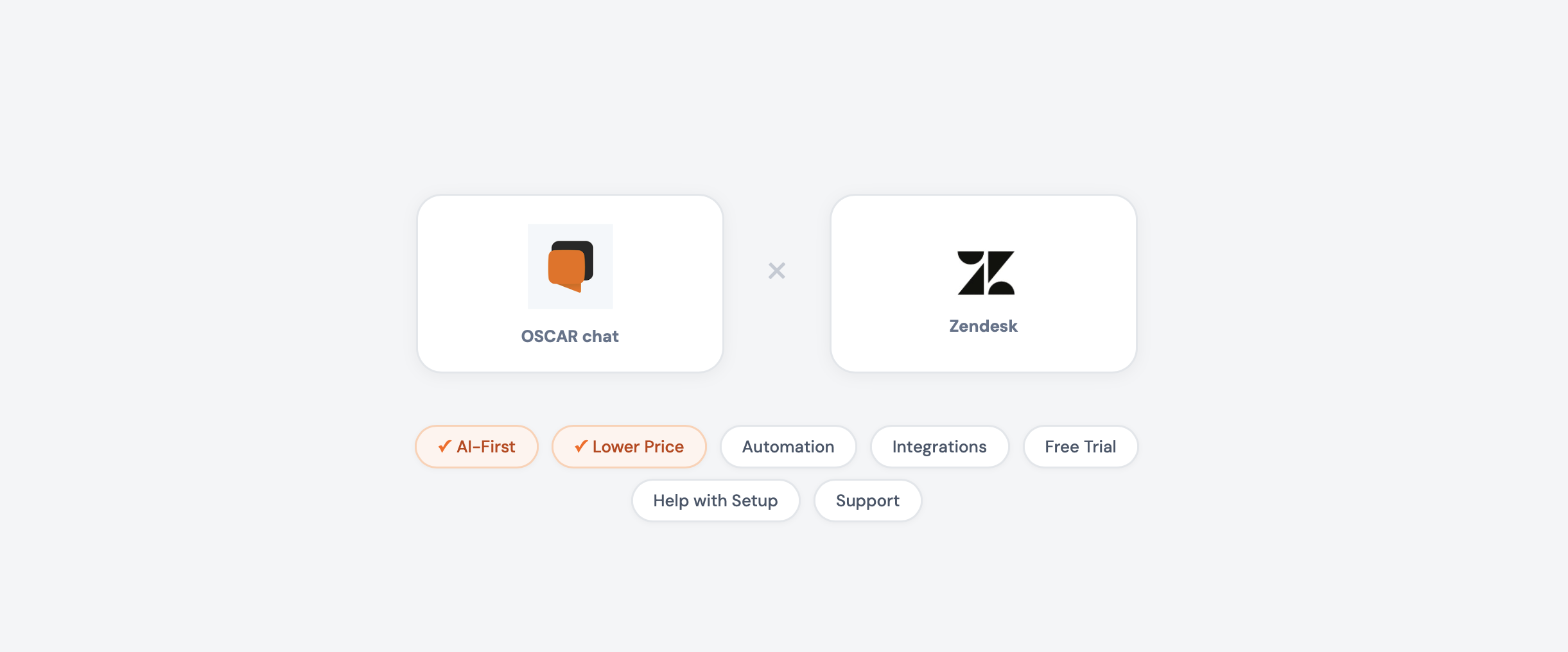
The real question is: do you need a massive enterprise helpdesk with hundreds of settings you’ll never touch? Or do you need a tool that helps you sell more, capture leads, and support customers — starting today, without a training manual?
Let’s figure out which one is actually right for you.
Who Is Oscar Chat For?
Oscar Chat was built for business owners and marketers who want results — not IT projects.
If any of this sounds like you, Oscar Chat is your tool:
- You run a small or mid-sized business — e-commerce store, restaurant, real estate agency, clinic, service company
- You want to turn website visitors into customers, not just answer support tickets
- You don’t have a technical team (and don’t want to hire one)
- You need live chat + AI chatbot + popups + forms + messenger buttons — but don’t want to pay for 5 separate tools
- You want to go live in 15 minutes, not 15 days
- You sell to customers who speak different languages
- You’re on Shopify and want a native integration that just works
Oscar Chat’s sweet spot: businesses with 1–50 employees who care more about conversions and leads than about enterprise compliance dashboards.
Who Is Zendesk For?
Zendesk is an enterprise customer service platform. It’s powerful, complex, and priced accordingly.
Zendesk makes sense if:
- You have 20+ support agents handling hundreds of tickets daily
- You need omnichannel ticketing — email, phone, social media, and chat in one inbox
- You require SLA tracking, compliance reports, and audit trails
- You have a dedicated admin (or team) to configure and maintain the platform
- You already use Salesforce and need deep CRM integration
- Your budget is $500+/month for customer service software
- You need a knowledge base portal and community forums
Zendesk’s sweet spot: companies with 50+ employees and dedicated support departments.
If you’re reading this and thinking “I just want to chat with my website visitors and get more sales” — that’s Oscar Chat territory. Keep reading.
Pricing: The Math That Matters
Let’s talk money first — because this is where the difference hits hardest.
| Team Size | Oscar Chat Pro (annual) | Zendesk Suite Professional | You Save with Oscar Chat |
|---|---|---|---|
| 1 person | $55/mo | $115/mo | $720/year |
| 3 people | $55/mo | $345/mo | $3,480/year |
| 5 people | $55/mo | $575/mo | $6,240/year |
| 10 people | $55/mo | $1,150/mo | $13,140/year |
Oscar Chat doesn’t charge per agent. Your whole team — up to 10 users on Pro — for one flat price. No surprises as you hire.
And that’s Zendesk without AI. Add Zendesk Copilot and those numbers jump even higher — $155–$209 per agent/month.
Feature-by-Feature Comparison
| Feature | Oscar Chat (from $33/mo) | Zendesk (from $55/agent/mo) |
|---|---|---|
| AI Chatbot | ✅ Included | ❌ Requires Copilot add-on |
| Live Chat | ✅ Unlimited, flat price | ✅ Per-agent pricing |
| Popup Builder | ✅ Built-in | ❌ Not available |
| Form Builder | ✅ Built-in | ❌ Not available |
| All-in-One Messenger Button | ✅ Built-in | ❌ Not available |
| 50+ Language AI | ✅ Auto-detect | ⚠️ Varies by plan |
| Shopify Integration | ✅ Native | ⚠️ Marketplace app |
| File Upload for AI Training | ✅ PDF, CSV, TXT, DOCX | ❌ Help center articles only |
| Email Ticketing | ❌ | ✅ Core feature |
| Phone Support | ❌ | ✅ Zendesk Talk |
| Social Media Inbox | ❌ | ✅ FB, Twitter, Instagram |
| Knowledge Base Portal | ❌ | ✅ Zendesk Guide |
| SLA Management | ❌ | ✅ Advanced |
| API Access | ✅ | ✅ |
The pattern is clear: Oscar Chat gives you everything you need to engage visitors and drive sales on your website — including features Zendesk doesn’t offer at all. Zendesk gives you enterprise support infrastructure for large teams.
Oscar Chat Plans at a Glance
| Lite (Free) | Basic ($33/mo) | Pro ($55/mo) | |
|---|---|---|---|
| Users | 1 | 5 | 10 |
| AI Chatbot | ❌ | 1 bot, 3,000 msgs/mo | 10 bots, 5,000 msgs/mo |
| Live Chat | ✅ | ✅ Unlimited | ✅ Unlimited |
| Popup Widgets | 1 | 3 | Unlimited |
| Form Widgets | 1 | 3 | Unlimited |
| All-in-One Button | ✅ | ✅ | ✅ |
| Workspaces | 1 | 1 | 10 |
| API | ❌ | ✅ | ✅ |
Even the free Lite plan gives you live chat, a popup, a form, and the All-in-One Button. You can start generating leads today without spending a dollar.
How Oscar Chat Drives More Sales
Here’s what most people miss about Oscar Chat: it’s not just a support tool. It’s a sales tool.
Zendesk was designed to manage support tickets after a customer reaches out with a problem. Oscar Chat was designed to engage visitors before they leave your website — and turn them into paying customers.
Your AI Sales Agent Works 24/7
Oscar Chat’s AI chatbot doesn’t just answer “what are your business hours.” It actively sells for you:
- Greets every visitor with a personalized message — no one gets ignored
- Answers product questions instantly — pricing, availability, specs, comparisons
- Recommends products based on what the visitor is looking at
- Handles objections — shipping costs, return policy, sizing questions
- Books appointments — for real estate viewings, restaurant reservations, consultations
- Captures contact details — even when your team is asleep
- Speaks 50+ languages — auto-detects and responds in the visitor’s language
You train it by uploading your own content — PDFs, product catalogs, FAQs, CSV files, Word documents. Drag, drop, done. The AI learns your business and represents it accurately.
The result: visitors who would have left your site at 11 PM on a Sunday now get instant answers and convert into leads or sales. That’s revenue you were losing every single day.
Popups That Actually Convert
Oscar Chat includes a full popup builder — something Zendesk doesn’t have at all.
- Exit-intent popups — catch visitors the moment they try to leave
- Welcome popups — greet new visitors with a special offer
- Timed popups — appear after a visitor has been browsing for a set time
- Scroll-triggered popups — show up when someone reads deep into a page
- Custom targeting — different popups for different pages, devices, or visitor behavior
Instead of paying $30–100/month for a separate popup tool (OptinMonster, Privy, Sumo), it’s built right into Oscar Chat. One dashboard, one subscription.
Forms That Capture Every Lead
The form builder lets you create lead capture forms that integrate directly with your chat:
- Contact forms with custom fields
- Quote request forms
- Appointment booking forms
- Newsletter signup forms
- Feedback and survey forms
Every submission goes into your Oscar Chat dashboard — no need for a separate form tool or CRM for basic lead management.
The All-in-One Button
This is one of Oscar Chat’s smartest features. The All-in-One Button is a single floating widget that collects all your messenger channels in one place:
- WhatsApp, Telegram, Facebook Messenger, Instagram, Viber
- Email, phone, live chat
Your visitors click one button and choose how they want to reach you. No more cluttering your website with 6 different messenger icons. One clean button, every channel accessible. It takes 2 minutes to set up.
Live Chat for Real Conversations
When your AI agent can’t handle something, or when a visitor wants to talk to a human — live chat takes over seamlessly:
- Unlimited messages on all plans
- Real-time typing indicators — visitors see you’re responding
- File sharing — send documents, images, screenshots
- Chat history — never lose a conversation
- Mobile app — respond to customers from your phone
- Operating hours — set when you’re available, AI handles the rest
No per-message limits. No per-agent fees. Your whole team can jump in.
Dead Simple — Anyone Can Use It
This is where Oscar Chat and Zendesk are in completely different universes.
Zendesk setup reality:
- 1–5 days minimum for basic configuration
- Weeks for full setup with automations and integrations
- Requires technical knowledge or paid onboarding ($$$)
- Complex admin panel with hundreds of settings
- Most businesses use maybe 15% of the features they pay for
- Need to build a help center before the AI bot works properly
Oscar Chat setup reality:
- Sign up → paste one code snippet on your website → done
- AI chatbot: upload your documents → it’s live
- Popup builder: pick a template → customize → publish
- Forms: drag and drop fields → embed
- All-in-One Button: toggle your channels → it appears on your site
- Total time: 10–15 minutes. Zero technical skills needed.
You don’t need a developer. You don’t need an IT department. You don’t need to watch tutorial videos for hours. If you can write an email, you can set up Oscar Chat.
Every new account gets a 7-day Pro trial with all features unlocked — so you can test everything before committing.
The Bottom Line
Choose Oscar Chat if you want a tool that helps you sell more, capture more leads, and support customers — all from one simple dashboard, at a price that makes sense for a growing business.
Choose Zendesk if you’re running a large support operation with dozens of agents, need omnichannel ticketing (email + phone + social), and have the budget and technical resources for an enterprise platform.
For most small and mid-sized businesses, Oscar Chat delivers more value per dollar than any enterprise tool on the market. You get AI chatbot, live chat, popup builder, form builder, and the All-in-One Button — features that Zendesk either doesn’t offer or charges significantly more for.
Frequently Asked Questions
1. Is Oscar Chat a good alternative to Zendesk for small businesses?
Absolutely. Oscar Chat was specifically built for SMBs. It combines AI chatbot, live chat, popup builder, form builder, and All-in-One messenger button in one platform starting at $33/month flat — no per-agent fees. For businesses that need website engagement and lead generation rather than enterprise ticketing, Oscar Chat delivers more value at a fraction of the cost.
2. How much cheaper is Oscar Chat than Zendesk?
For a 5-person team, Oscar Chat Pro costs $55/month total. Zendesk Suite Professional costs $575/month ($115 × 5 agents). That’s over $6,200 saved per year — and Oscar Chat includes AI chatbot and popup builder that Zendesk charges extra for.
3. Does Oscar Chat have an AI chatbot?
Yes. Oscar Chat includes an AI chatbot that you train by uploading your own files — PDFs, CSVs, text files, Word documents. It learns your business and answers customer questions 24/7 in 50+ languages. Unlike Zendesk, the AI is included in Basic and Pro plans, not an expensive add-on.
4. What is the All-in-One Button in Oscar Chat?
The All-in-One Button is a single floating widget on your website that gives visitors access to all your communication channels — WhatsApp, Telegram, Facebook Messenger, Instagram, Viber, email, phone, and live chat. One button, every channel. It keeps your website clean and makes it easy for customers to reach you however they prefer.
5. Can I capture leads with Oscar Chat?
Yes — and that’s one of Oscar Chat’s biggest strengths. The popup builder creates exit-intent, welcome, and timed popups. The form builder captures contact details and quote requests. The AI chatbot collects leads during conversations. Together, they create multiple touchpoints to capture every potential customer.
6. Does Oscar Chat work with Shopify?
Yes. Oscar Chat has a native Shopify integration — install directly from the Shopify App Store. The AI chatbot can answer questions about your products, shipping, and store policies. Zendesk works with Shopify too, but through a third-party marketplace app with less native integration depth.
7. How long does it take to set up Oscar Chat?
10–15 minutes from signup to fully live. Paste one code snippet on your website, upload your documents for AI training, configure your popups and forms — done. No technical skills needed. Zendesk typically takes days to weeks for a comparable setup.
8. Does Zendesk have a popup builder?
No. Zendesk is focused on customer support ticketing and does not include popup builder, form builder, or All-in-One messenger button functionality. You’d need separate third-party tools for lead capture — adding $50–150/month to your software stack.
9. Can I use Oscar Chat for free?
Yes. The Lite plan is completely free and includes live chat, 1 popup widget, 1 form widget, and the All-in-One Button for 1 user. Every new account also gets a 7-day Pro trial with all premium features unlocked. Zendesk does not offer a free plan — only a 14-day trial.
10. What languages does Oscar Chat’s AI support?
Oscar Chat’s AI chatbot supports over 50 languages with automatic detection. It identifies each visitor’s language and responds naturally — no manual configuration needed. This makes it ideal for businesses that serve international customers or operate in multilingual markets.