
Quick recommendation
Choose Chatway if you mostly need live chat, social channels, and a simple AI support agent. Choose Oscar Chat if your website should actively convert visitors with AI chat, popups, forms, click-to-chat buttons, and guided selling flows.
Chatway vs Oscar Chat: The Short Version
Where Chatway Is Enough
Chatway makes sense when the job is straightforward: put a chat widget on the website, let visitors reach the team, connect channels like WhatsApp or Messenger, and answer conversations from one place. For businesses that already have separate tools for popups, forms, email capture, and automation, that may be enough.
For example, a local service business with a receptionist online all day may not need a complex automation setup. A simple widget, a greeting, and fast human replies can work well.
Where Basic Live Chat Breaks
Live chat starts to feel limited when visitors need different next steps. One person wants a quick product answer. Another wants a quote. Another is not ready to chat but would leave an email for a guide or discount. Another needs a human only after the AI gathers context.
This is where Oscar Chat becomes more useful. It does not treat every visitor as “someone who wants to type into a chat box.” It gives you several entry points: AI answers, popups, forms, click-to-chat buttons, and human handoff.
Real-World Examples: What the Chat Should Actually Do
Example 1: Ecommerce Product Questions
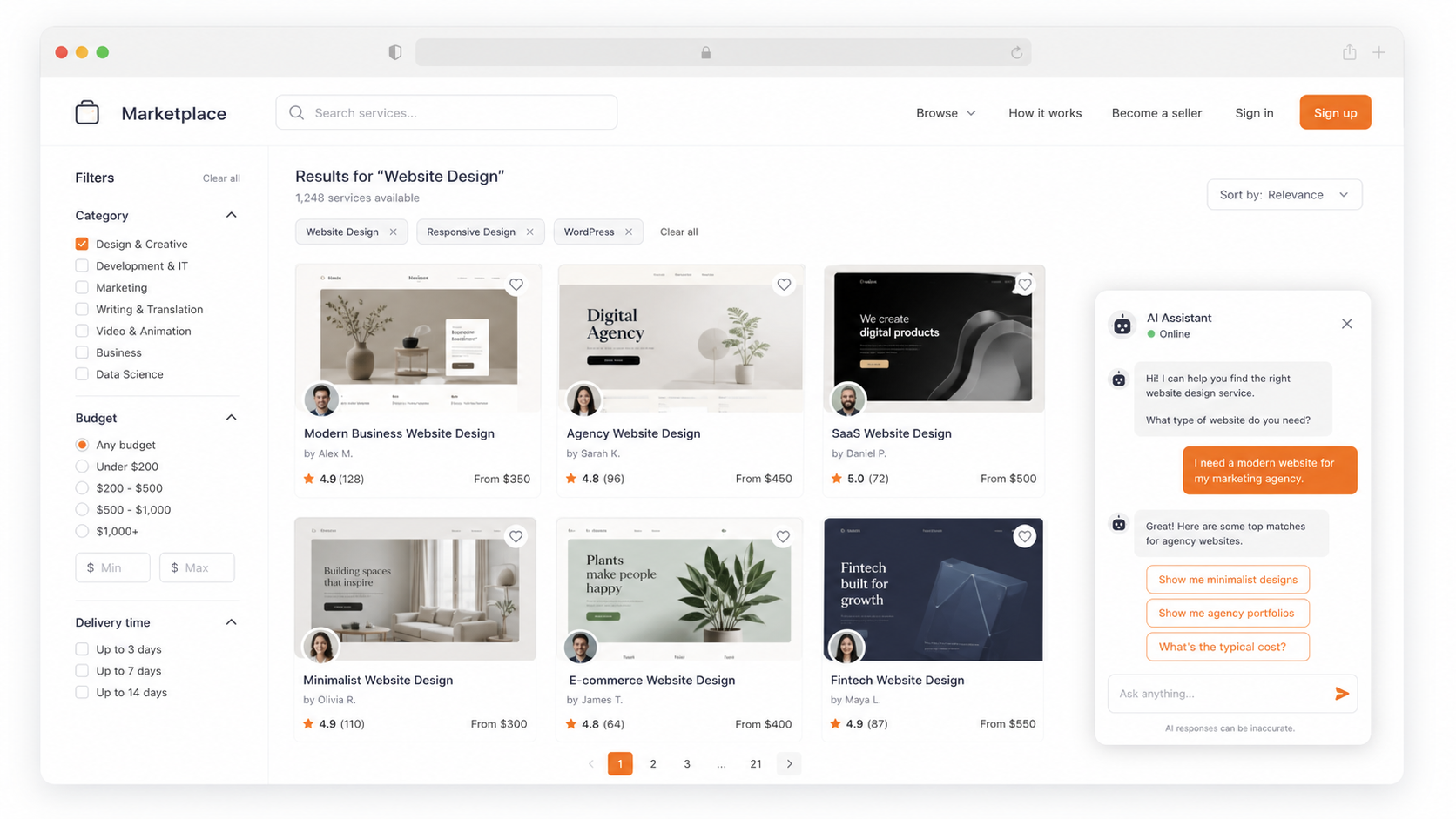
A shopper is comparing two products and asks, “Which one is better for a small apartment?” A basic live chat setup waits for a human. A better AI chat setup answers immediately, asks one follow-up question, and links the right product.
Example 2: Service Business Lead Qualification
A visitor asks, “How much does this cost?” The best response is not a generic pricing paragraph. The chat should ask what they need, collect contact details if the request is serious, and route the lead to the right person.
Example 3: After-Hours Support
If a team is offline, the widget should not pretend someone will answer in seconds. AI should handle common questions, then collect an email and summarize the request for follow-up.
How Fast Can You Build a Useful Bot in Oscar Chat?
A good product screenshot inside an article should explain something. Here is a simple setup flow that helps readers understand how Oscar Chat works in practice.
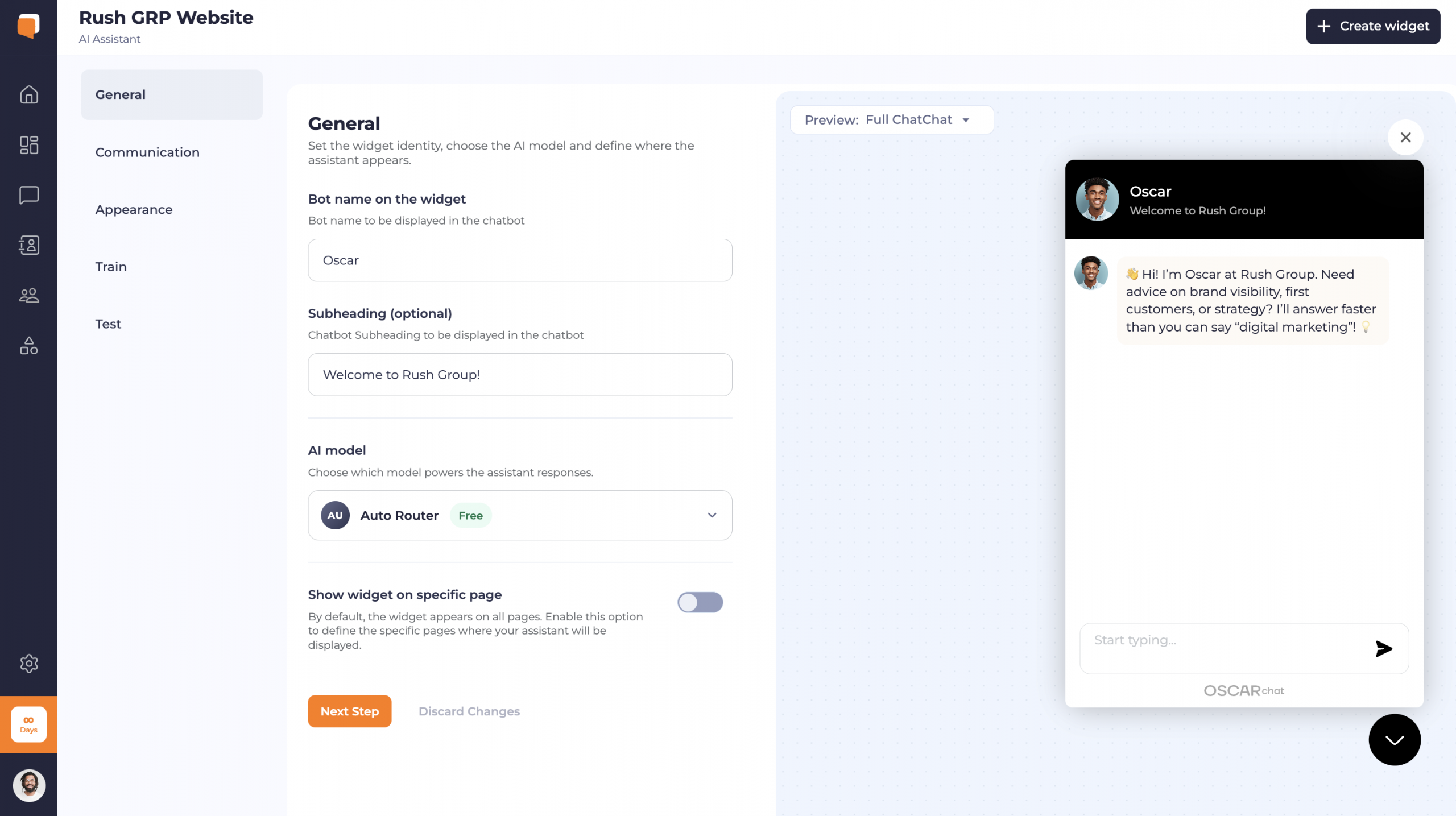
Step 1: Set the Assistant Identity
Start with the basics: bot name, short intro, AI model, and where the widget should appear. This matters because the assistant should feel like part of the website, not a random add-on.
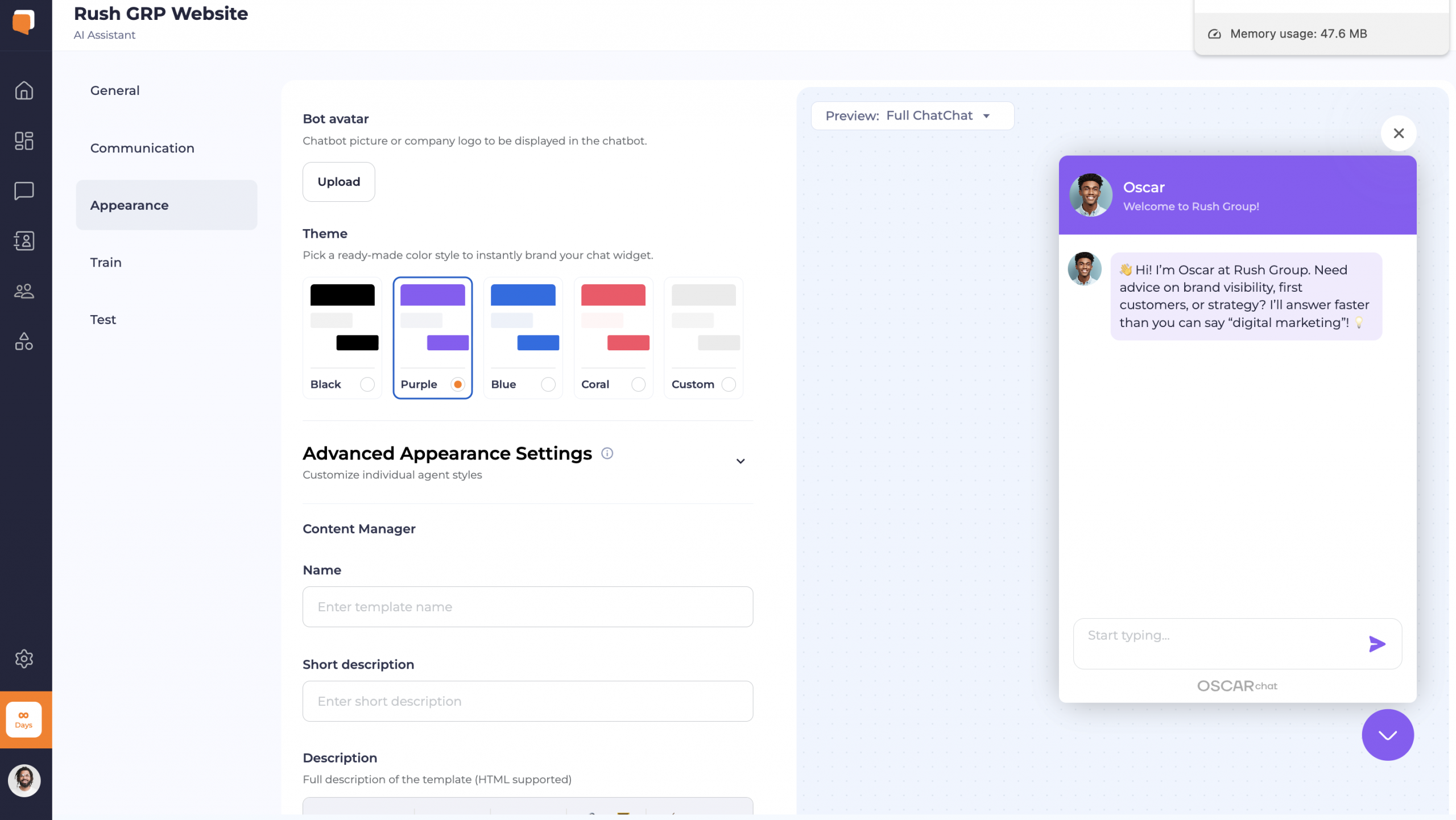
Step 2: Match the Widget to the Brand
The widget should be visible but not loud. A clean theme, consistent color, and readable chat state make the experience feel trustworthy.
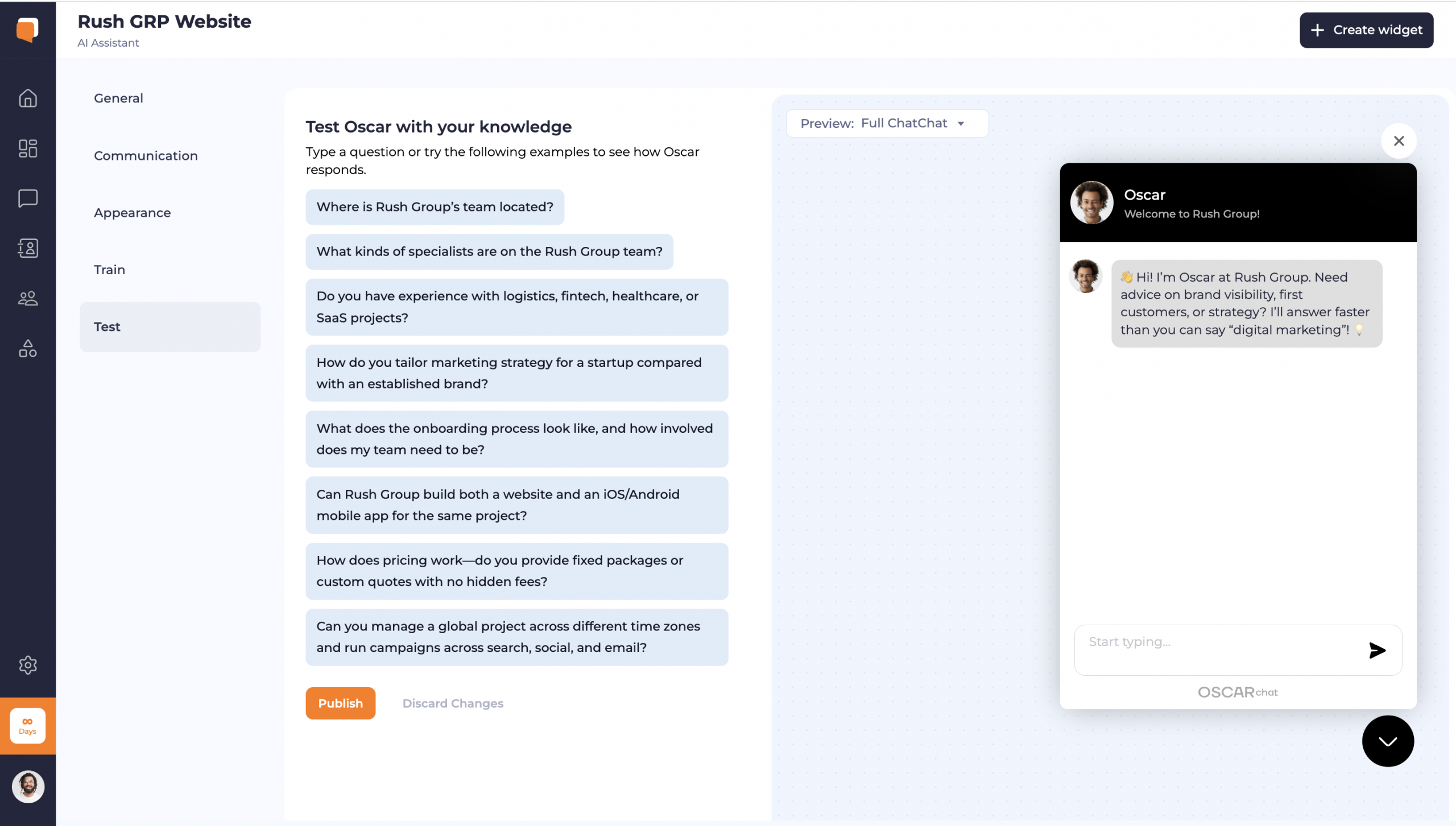
Step 3: Test Real Questions Before Launch
The most important step is testing. Ask the questions customers actually ask: pricing, delivery, services, refunds, booking, product fit, and support. If the bot fails here, fix the training before publishing.
Which Tool Fits Which Business?
Chatway Alternative Checklist
Before switching tools, answer these questions. They will tell you whether you need Oscar Chat or whether a simpler chat setup is enough.
- Do visitors ask repeated questions? If yes, AI answers can reduce manual work.
- Do visitors leave without contacting you? If yes, popups and forms matter.
- Do you need to qualify leads? If yes, chat should ask structured questions, not only open a message box.
- Do you need social messaging more than onsite conversion? If yes, Chatway may still be a good fit.
- Do you want one tool instead of chat + popup + form apps? If yes, Oscar Chat is the stronger option.
Final Verdict: Chatway Is Useful, Oscar Chat Is Broader
Chatway is a solid option for teams that need live chat, social channels, and AI support. It is not a bad tool. But if your website needs to create leads, guide buyers, launch offers, collect forms, answer with AI, and hand off to humans, Oscar Chat is the stronger alternative.
The difference is not “chat vs chat.” The difference is support inbox vs conversion workflow.
Explore Oscar Chat or start the 7-day Pro trial to test AI chat, live handoff, popups, forms, and guided selling on your own website.
Frequently Asked Questions
What is the best Chatway alternative for small businesses?
Oscar Chat is a strong Chatway alternative if you want one platform for AI chat, live handoff, popups, forms, lead capture, and click-to-chat workflows. Chatway is useful for live chat and AI support, but Oscar Chat is stronger when conversion tools matter.
Is Chatway only a live chat tool?
No. Chatway now positions itself around live chat and an AI support agent, plus social messaging channels. The main difference is that Oscar Chat is built as a broader website engagement stack with popups and forms as part of the same workflow.
Which is better for ecommerce, Oscar Chat or Chatway?
Oscar Chat is usually better for ecommerce teams that want guided selling, product questions, cart recovery prompts, forms, and promotional popups in one tool. Chatway can still be a good fit for stores that mainly need live support and social messaging.
Does Oscar Chat replace popup and form tools?
For many small businesses, yes. Oscar Chat includes popup and form workflows, so teams do not need to connect a separate popup app just to capture leads or run a simple campaign.
Should I switch from Chatway to Oscar Chat?
Switch if your current chat setup is not helping with lead capture, qualification, conversion prompts, or AI-first support. If your only goal is answering live messages, Chatway may be enough.
Can Oscar Chat hand off from AI to a human?
Yes. Oscar Chat is designed for AI-first support with human handoff when a visitor needs personal help, a quote, a custom answer, or sales guidance.
What should I compare before choosing a chat tool?
Compare AI quality, live handoff, forms, popups, social channels, widget design, setup time, analytics, pricing, and whether the tool improves conversion instead of only collecting messages.
Does Oscar Chat work for WordPress websites?
Yes. Oscar Chat can be added to WordPress websites with a no-code widget script, and it is especially useful when the site needs both chat and lead capture.
Can a chat widget increase sales?
Yes, but only when it is placed well, answers useful questions, captures contact details when needed, and routes high-intent visitors to the right next step.
Can I try Oscar Chat before switching?
Yes. New Oscar Chat accounts get a 7-day Pro trial, so you can test AI chat, live chat, popups, forms, and conversion workflows on your own website.