50 Best Live Chat Greeting Messages (With Templates)
First impressions matter—especially online. A great live chat greeting can turn a passive visitor into an active lead, and an active lead into a paying customer. With Oscar Chat, you can automate these greetings for every scenario: welcoming new users, re-engaging returning visitors, or offering help at the perfect time. Below, you’ll find 50 proven live chat greeting templates you can implement instantly inside Oscar Chat.
Why Live Chat Greetings Matter
According to customer experience research, websites that greet visitors with proactive chat messages see up to 85% higher engagement. A friendly, relevant opening builds trust, shortens response times, and boosts conversion rates. Oscar Chat makes this simple by letting you create automated triggers for each visitor type and intent.
1. Welcome & First-Time Visitors
When someone lands on your site for the first time, they’re curious. Your goal is to make them feel acknowledged and guided. Here are some examples:
👋 “Hi there! Welcome to [Your Company]. I’m here to help you find what you’re looking for.”
“Welcome! Would you like a quick walkthrough of our product features?”
“Hello! Need help choosing the right plan? I can guide you in 2 minutes.”
“Hey! Glad you stopped by. What brings you here today?”
“Welcome to our store! Check out what’s trending this week.”
“Hi! New here? Let’s make it easy—can I point you in the right direction?”
2. Returning Visitors
Recognizing repeat visitors makes them feel valued. Use dynamic fields in Oscar Chat to personalize these messages automatically:
“Welcome back, {{name}}! Ready to continue where you left off?”
“Good to see you again! Would you like to revisit your last chat?”
“Hey {{name}}, looks like you were checking out our pricing. Want to see our current discounts?”
“Back again? We must be doing something right! Need any assistance today?”
“Hi {{name}}, did you get a chance to test our chatbot last time?”
“Welcome back! Want to talk about upgrading your plan?”
3. Lead Capture & Qualification
These greetings prompt visitors to share their information or book a call. Combine them with Oscar Chat’s lead form blocks for instant CRM routing.
“Hi! Are you looking for a demo or just exploring today?”
“Need a quote? Just share your email and I’ll send one right away.”
“Want to see how much time Oscar Chat can save your team? Book a quick demo here.”
“Let’s personalize your experience! What’s your role—marketing, support, or sales?”
“Hey there! Leave your contact info and we’ll tailor a walkthrough to your needs.”
“Hi! I can help you find the best plan for your team. Want to get started?”
4. Support & Issue Resolution
Visitors seeking help expect quick, empathetic responses. These templates work perfectly with Oscar Chat’s Live Chat + AI Assistant combo.
“Hi there! Need help with something? I can connect you to support.”
“Having trouble logging in? I can guide you through it step-by-step.”
“Hey! Something not working as expected? Let’s fix it together.”
“Hi! Our average response time is under 2 minutes—how can we assist?”
“Need help with billing or upgrades? I can forward your chat to the right specialist.”
“We’re here to help 24/7. What issue can I solve for you today?”
5. E-commerce & Cart Recovery
Online stores can use these greetings to re-engage shoppers and reduce abandoned carts.
“Hey! Noticed something in your cart. Want to complete your order?”
“Still thinking it over? I can offer a 10% discount to help you decide.”
“Hi! Need more info before checkout? I can help with product details.”
“Welcome back! Your cart is still waiting—grab your items before they sell out.”
“Hello! Would you like to compare sizes or models before purchasing?”
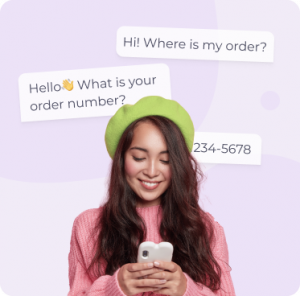
“Need shipping updates? Enter your order number below.”
6. After-Hours & Offline Messages
When your team is offline, Oscar Chat can automatically display these friendly messages while collecting visitor details.
“Thanks for visiting! Our team’s offline right now but will reply first thing tomorrow.”
“Hi! We’re currently away, but leave your message and email—we’ll reach out soon.”
“Hey there! It’s after business hours, but I’ll make sure your request reaches the right person.”
“Thanks for your patience! Please share your contact info, and we’ll get back ASAP.”
“We’re out of the office but always listening. Drop a note, and we’ll respond soon.”
“Sorry we missed you! Leave your question below, and our team will follow up tomorrow.”
7. Personalized & Seasonal Greetings
Show personality and celebrate key moments—Oscar Chat supports dynamic text, so you can auto-insert holidays or seasons.
“🎄 Happy Holidays! Need help finding the perfect gift?”
“Hey! It’s Cyber Monday—can I help you find our best deal?”
“Welcome to our Spring Sale! Want to see what’s new?”
“Happy Valentine’s Day! Looking for something special?”
“Summer’s here—free shipping all week! Want to see what’s trending?”
“Back-to-School season is on! Need help with bulk orders?”
8. Proactive Engagement Triggers
Proactive greetings activate based on user behavior (e.g., time on page or exit intent). These are ideal for boosting conversion in Oscar Chat’s automation panel.
“Noticed you’ve been browsing for a bit—can I answer any questions?”
“Hi! Need help choosing between our plans?”
“Looks like you’re about to leave—want a quick discount code before you go?”
“Hi there! Many visitors in your region choose our Premium plan. Want to see why?”
“Hey! Ready to get started? It only takes 2 minutes to launch your first chatbot.”
“Need help integrating with Shopify? I can guide you step-by-step.”
“Hi! Want to see a live example of Oscar Chat in action?”
“Thinking about switching from another chatbot? Ask me how migration works.”
How to Add Greeting Templates in Oscar Chat
Adding these templates inside Oscar Chat takes less than a minute:
Log in to your Oscar Chat dashboard.
Go to AI Assistants → Templates → Greetings.
Click “Add New Greeting”.
Paste one of the messages above or create your own variation.
Set conditions (e.g., first-time visitor, returning user, or time on page).
Click Save and test it on your site.
Each greeting can include emojis, dynamic variables (like visitor name or source), and trigger rules. Combined with Oscar Chat’s all-in-one widget, you can personalize every conversation across web, WhatsApp, and Messenger.
Frequently Asked Questions
How do I personalize chat greetings in Oscar Chat?
Use variables like {{name}} or {{city}} in your message templates. Oscar Chat automatically replaces them with real visitor data.
Can I set different greetings for each page?
Yes. You can assign custom greetings to individual pages or trigger them by visitor behavior (e.g., time on page, URL, or scroll depth).
Do greetings work for both live chat and AI chatbots?
Absolutely. You can assign the same greeting message to either a human operator or Oscar Chat’s AI Assistant—it’s fully synchronized.
Can I track which greetings perform best?
Yes. Oscar Chat includes analytics showing open rates, response rates, and conversions per greeting so you can A/B test and optimize performance.
What languages are supported?
Oscar Chat supports multilingual chatbots. You can create greetings in any language, and the system will display the correct one based on visitor region.
Conclusion
The right greeting can make the difference between a bounce and a conversation. With these 50 live chat greeting templates and Oscar Chat’s automation tools, you can deliver personalized, high-performing interactions that turn visitors into customers—without writing a single line of code.